
Start with Merchant Center and your website
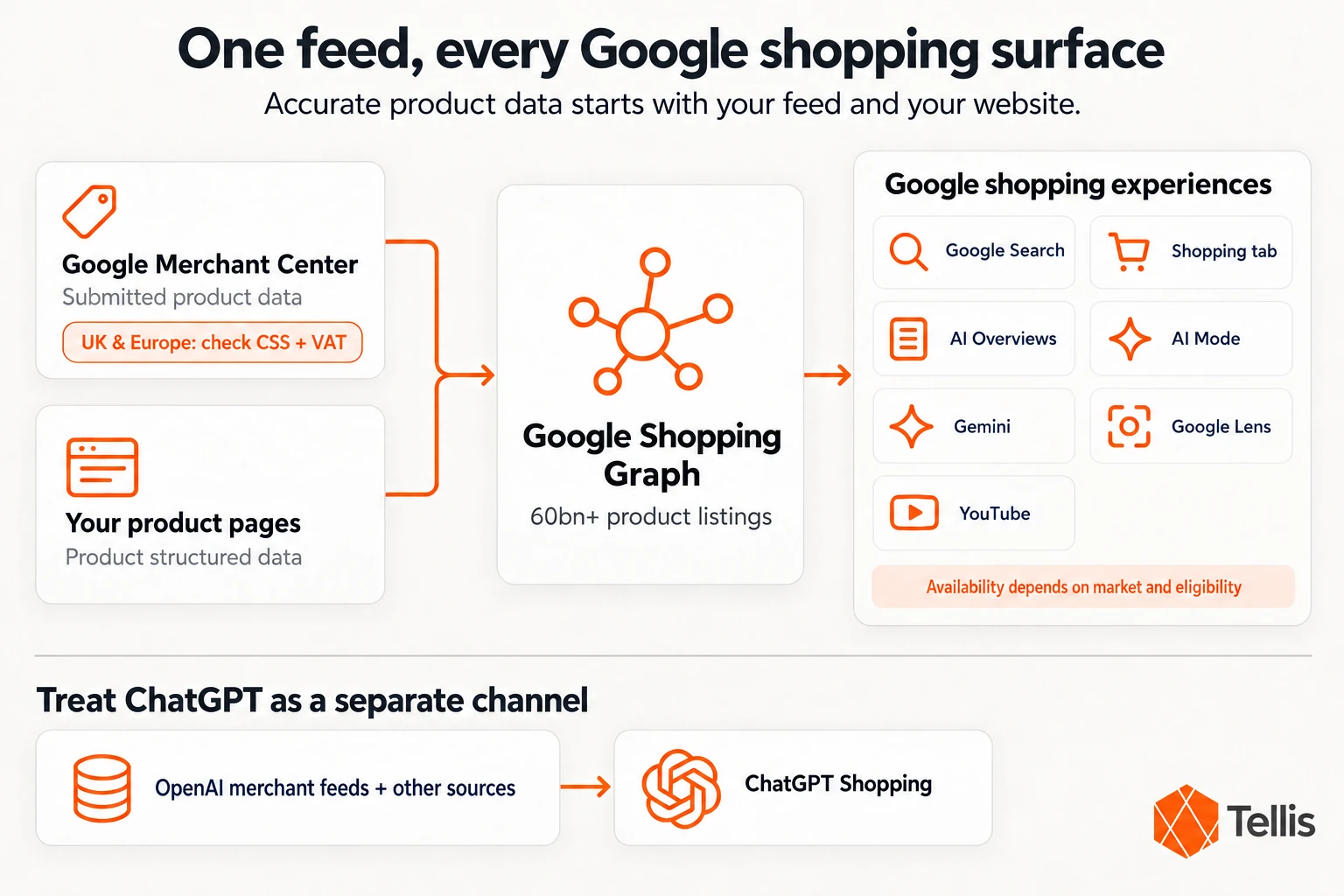
There is no separate Shopping Graph application. Google can discover product information by crawling your website, and you can supply it directly through Merchant Center. Google recommends using both Merchant Center data and Product structured data on your pages.
A feed gives you more control over the information you submit and when you update it. Structured data helps Google interpret the information on your website. Keep both aligned with the offer a shopper actually sees.
Set up your account and product data
Create your Merchant Center account, verify and claim your website, and configure the markets you serve. Connect your ecommerce platform, upload a file, schedule a fetch or use Merchant API. Choose a method your team can maintain reliably.
Check Google's product data specification for your category and target country. Core information includes the product ID, title, description, landing-page link, image, price and availability. Identifier and category requirements vary: google_product_category is generally optional, and products without manufacturer-assigned identifiers need different treatment from branded products that have them.
Use genuine manufacturer-assigned GTINs where applicable. Do not invent a barcode or substitute an internal SKU. A UK retailer can use the valid identifier already assigned to the product; it does not have to obtain a new barcode from GS1 UK for every item.
Check eligibility and resolve issues
Set up free listings for the eligible markets you want to reach, and review the Needs attention section in Merchant Center. Check which destination an issue affects before deciding how to fix it. A disapproval can prevent an item from appearing in an affected programme, but it does not automatically remove its webpage from every Google search result.
Approval establishes eligibility for the relevant programme. It does not promise a placement, an AI recommendation or a particular ranking.
Get the European market details right
For UK and European retailers, market configuration deserves as much attention as the product description. A useful listing needs the right language, an accurate price and delivery terms that apply to the customer's location.
Check your Comparison Shopping Service
In the UK and other countries covered by Google's Comparison Shopping Services programme, relevant Shopping ads and free product listings operate through a CSS. Google Shopping itself is a CSS and is the default for newly created accounts. You do not have to buy a third-party CSS service simply to get started.
If you use another provider, check whether it supports free listings and whether the correct CSS is selected. Follow Google's country list and account guidance rather than assuming every European market has identical requirements.
Match prices and delivery to the market
For UK and EU offers, submit prices inclusive of VAT and make sure the relevant price and currency agree with the landing page and checkout. Delivery charges, delivery coverage and returns information should reflect the market you are targeting.
You do not necessarily need a separate feed for every country. Google allows one data source to target multiple countries where its requirements are met. Translated content or different market offers may need separate configurations. Plan around language, currency, shipping and the actual landing-page experience.
What the Shopping Graph means for AI search
The Shopping Graph helps Google connect information about products and offers. Accurate identifiers make products easier to distinguish; current prices and stock levels describe the offer; useful attributes explain what the product can do.
It is one part of a wider discovery system. Google Search's AI features can draw on web content as well as other data sources. Google says AI Mode and AI Overviews may issue several related searches to develop an answer. That does not mean every answer comes exclusively from Merchant Center.
Google also says its usual SEO practices apply to AI features. There is no special AI schema or additional technical requirement for a page to appear as a supporting link. Keep pages crawlable, useful and consistent with their structured data while keeping Merchant Center information up to date.
Write for a real buying decision
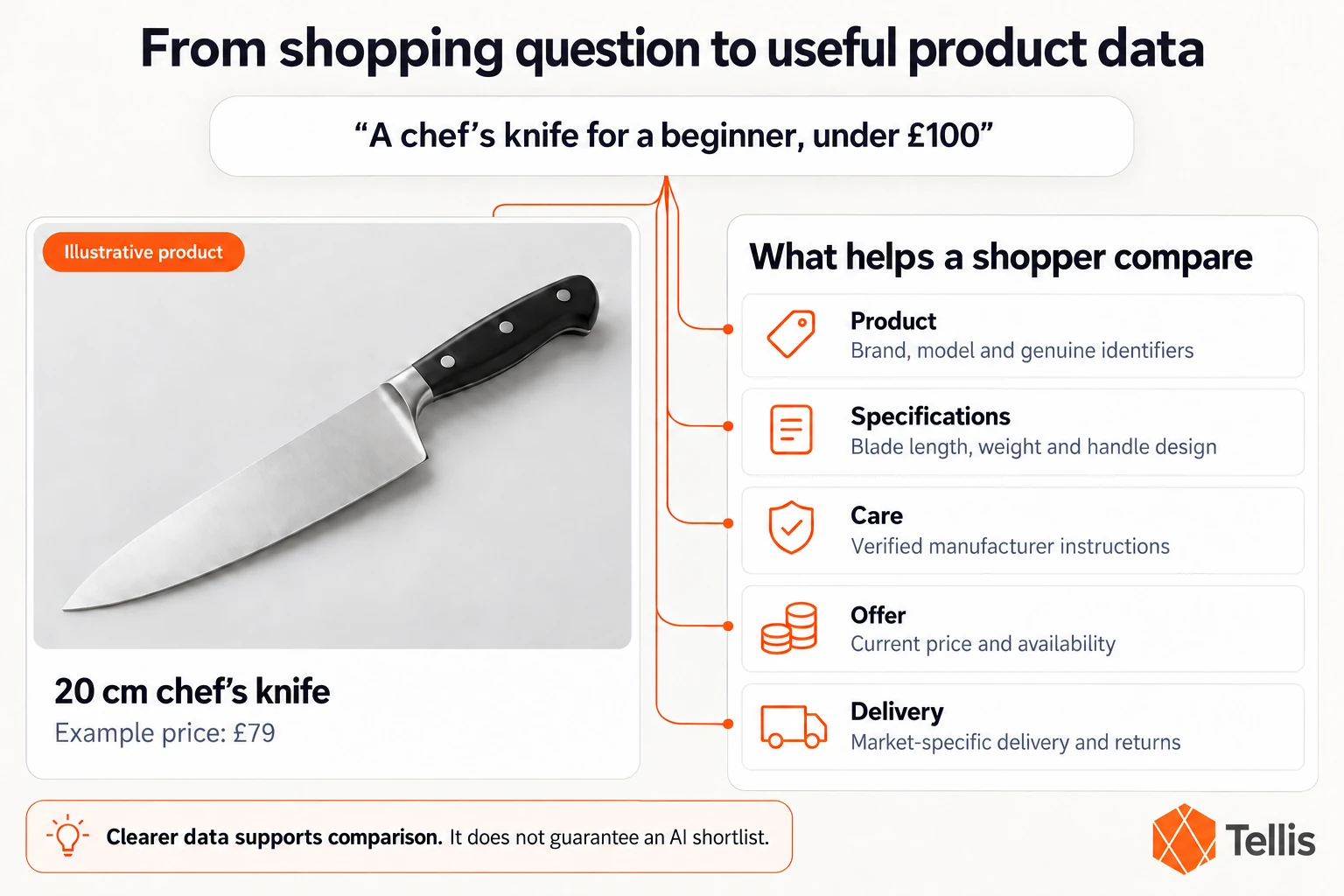
Consider a shopper asking for a chef's knife under £100 that is suitable for a beginner. A title such as “Stainless Steel Chef's Knife, 20 cm” identifies the product, but the page may still leave questions about weight, handle design and care unanswered.
Add the relevant, verified details to the appropriate fields and the product page. Keep the price in the price field. Describe care requirements accurately: if the manufacturer recommends hand washing, say so. Useful detail helps shoppers compare products without turning the title into a list of promotional claims.
This is an example of clearer product information, not a formula for securing an AI shortlist. Google does not publish a rule saying that adding a particular phrase to a title guarantees selection.
Improve the feed in a sensible order
Begin with errors that make the offer inaccurate or ineligible. Then fill the gaps that make the product harder to understand. Optional features can follow once the basics are dependable.
Fix the essentials first
Check titles, identifiers, variant links, images, prices and availability. Each offer should match the corresponding product and variant on your website. Prices can differ between channels or markets; what matters here is that the submitted offer matches its landing page and checkout.
Use Product and Offer structured data where appropriate, and validate it. Add review and rating markup only where it meets Google's requirements and reflects genuine information visible on the page. Google's Product Ratings programme has its own eligibility and review-submission requirements; page markup alone does not enrol a merchant.
Add the detail shoppers ask about
Work through materials, dimensions, fit, compatibility, care and intended use. Replace vague adjectives with facts you can substantiate. “Warm winter coat” is less informative than a verified insulation specification and a clear explanation of the fit.
Use fields such as product_highlight and product_detail for relevant supporting information. Keep delivery and returns terms current. Add clear product images and useful additional views. Google also supports the optional video_link attribute for suitable product videos.
Use conversational attributes where they add value
Google now documents six optional attributes for conversational shopping experiences: question_and_answer, document_link, related_product, item_group_title, variant_option and popularity_rank. They can capture information such as useful product questions, supporting documents and relationships between products.
Google recommends submitting these through a supplemental data source, although a primary data source or Merchant API can also be used. They do not affect existing product approval status. Avoid duplicating information already provided in descriptions, highlights or details, and follow the format defined for each attribute.
Keep updates dependable
Set an update schedule that reflects how often your offers change. If stock or prices move frequently, consider an integration that sends updates promptly, such as Merchant API.
Google's automatic item updates can correct some mismatches using information from your website. They are a useful safeguard, but Google explicitly says they do not replace regular product-data updates. Monitor the integration rather than assuming the crawler will catch every change.
Treat ChatGPT as a separate channel
A well-maintained Google feed is valuable, but it does not establish how your products appear in ChatGPT. OpenAI says ChatGPT uses structured metadata from first-party and third-party providers, alongside other content, to select relevant products.
OpenAI also describes Shopify Catalog integration and an application route for merchants interested in supplying direct feeds. Check the current requirements for your platform and market. Avoid planning around a claimed percentage of ChatGPT results sourced from Google or a fixed search-to-carousel process: OpenAI's published guidance does not establish those rules.
Keep in-platform checkout in perspective
For a comparison of checkout routes and the product data they require, read our guide to agentic commerce, ACP and UCP.
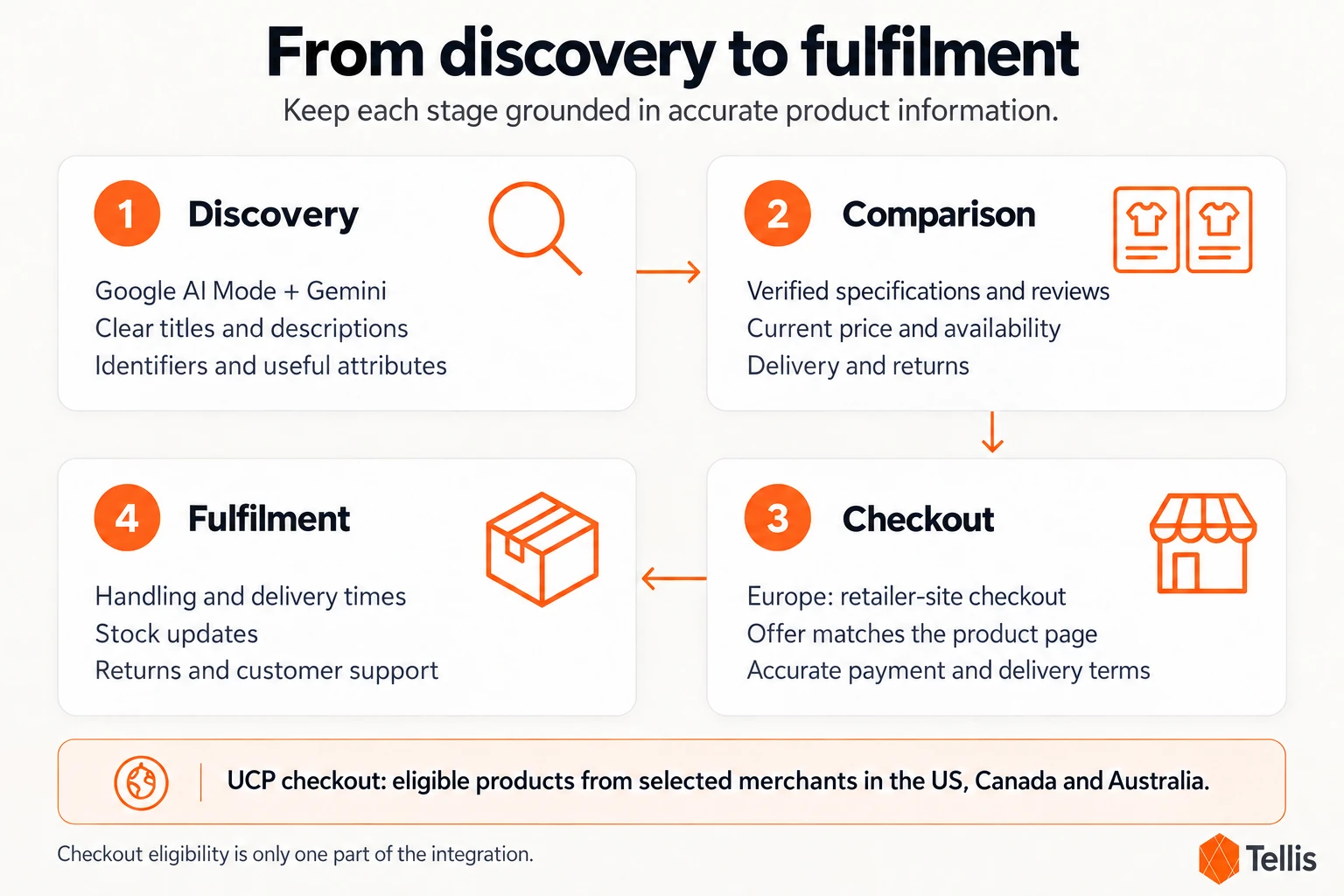
Google's Universal Commerce Protocol work covers commerce interactions, including checkout. Its current Merchant Center guidance for buying directly on Google applies to eligible products from selected merchants in the US, Canada and Australia.
For a business focused on Europe, accurate product data, delivery and returns are the immediate priorities. If you serve an eligible market, review the full onboarding and integration requirements. Adding a checkout eligibility attribute is only part of the preparation; it is not a complete checkout integration.
Make product data easier to maintain
Many catalogue problems come from the handoff between systems. A detail is corrected on the website but stays wrong in the feed, or an export overwrites a useful improvement at the next refresh.
Decide where each field is maintained, who approves changes and how those changes reach each channel. A supplemental source can be helpful, but it is one option alongside updates to the primary source or an API integration. The right approach is the one that keeps verified information consistent and maintainable.
Tellis helps teams audit and enrich catalogue data using existing product information and shopper signals. Tellis reports that its work with BuyWholeFoodsOnline was accompanied by a 124% increase in Google AI visibility and a 54% increase in ChatGPT referral traffic. These are published customer results, rather than a forecast for another retailer.
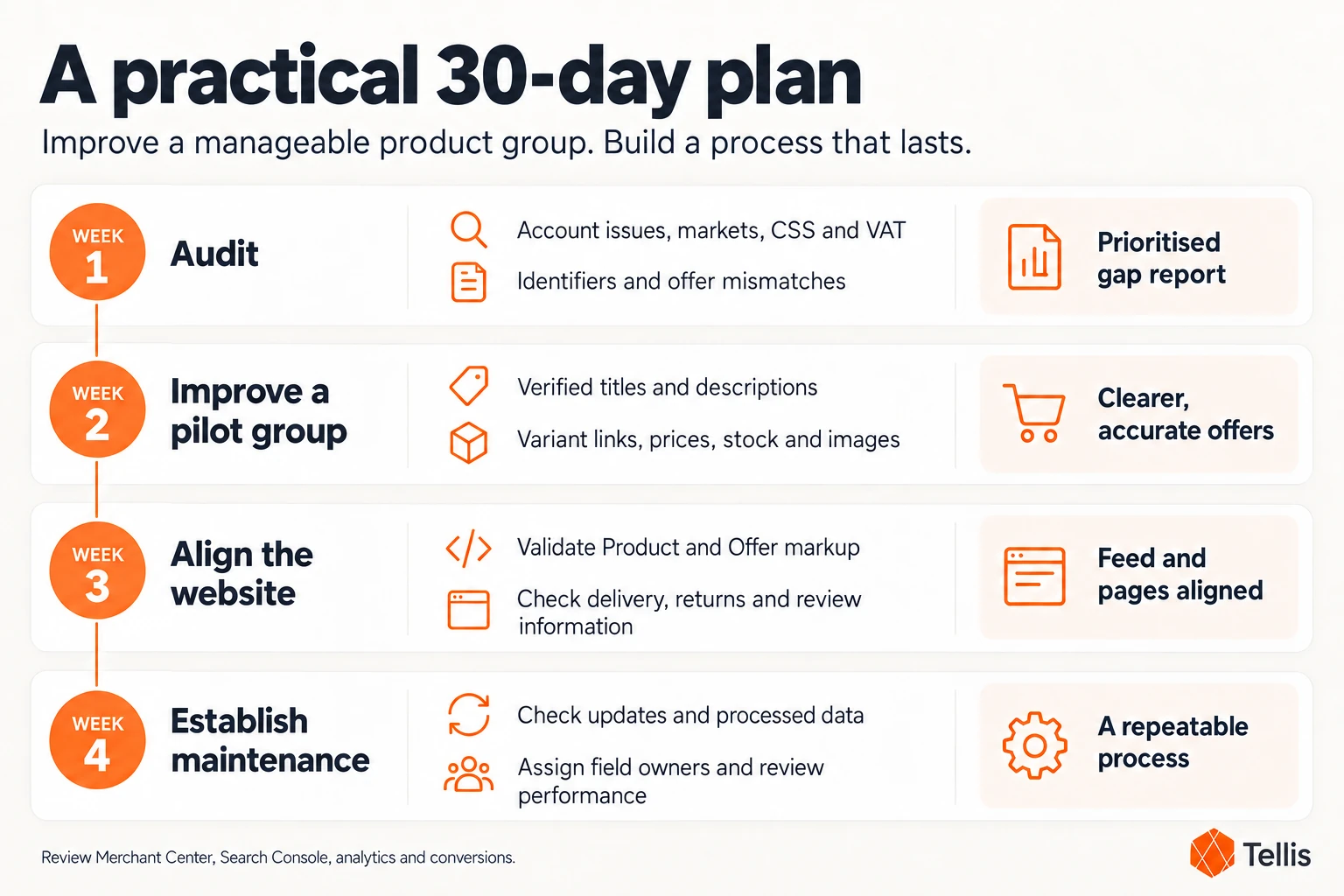
A practical 30-day plan
Use the first month to establish a reliable process and improve a manageable group of products. The aim is measurable progress, with a clear owner for ongoing maintenance.
| Week | Focus | What to complete |
|---|---|---|
| 1 | Audit | Review account issues, target markets, CSS settings where applicable, VAT, identifiers and offer mismatches. |
| 2 | Improve a pilot group | Rewrite unclear titles and descriptions using verified specifications. Correct variant links, prices, stock and images. |
| 3 | Align the website | Validate Product and Offer structured data. Review delivery, returns and eligible review information. |
| 4 | Establish maintenance | Check updates and processed data. Document field ownership, review performance and plan the next group of products. |
Review Merchant Center performance alongside Search Console, analytics and conversion data. Try representative shopping queries for the markets you serve, but treat individual AI answers as observations rather than a complete performance measure.
See it on your catalogue
Find the gaps in your product data
A useful audit gives your team a clear starting point: which offers are inaccurate, which details are missing and which improvements deserve attention first. Request a free product-data audit from Tellis.
Frequently asked questions
How do I get my products into the Shopping Graph
Supply accurate product information through Merchant Center and make it accessible on your website. Google recommends combining submitted data with product-page structured data. Meeting the relevant requirements helps establish eligibility, but does not guarantee where a product appears.
Do I need Google Ads
You can use Merchant Center and participate in eligible free listings without running ads. Retail advertising campaigns that use your Merchant Center product data need the relevant Google Ads setup and account link.
What is a product feed
A product feed is a structured file of product information submitted to a channel such as Google. Merchant Center also supports other ways to supply data, including platform integrations and APIs. You can submit the eligible products you want to promote rather than every item in your catalogue.
Does Merchant Center cost money
Merchant Center and eligible free listings are free to use. Advertising spend and fees for third-party software or services are separate.
Sources and further reading
Checked 12 October 2026.
- Google: Shopping Graph scale, July 2026
- Google: Share product data · Product data specification
- Google: CSS account settings · Target multiple countries
- Google: AI features and your website · Product structured data
- Google: Conversational shopping attributes · Product videos
- Google: Automatic item updates · Merchant API
- Google: Buying directly on Google · UCP Merchant Center preparation
- OpenAI: Shopping with ChatGPT Search · Tellis: Published customer results